

If you want to upgrade to a 4-finger claw in PUBG mobile, I have the 4-finger claw layout code. In this post, I’m going to give you the latest Pubg claw code.
PUBG Mobile is one of the best online multiplayer games played worldwide. This game has stolen the hearts of many gamers around the world since 2018. As the number of players kept increasing, gameplay competition also increased. Now players are getting better at playing this game day by day. A 2-finger claw or 3-finger claw control is not enough to beat other players who use more redefined controls like a 4-finger claw with Gyro sensitivities.
PUBG Mobile 4 finger Layout code
Luckily Pubg Mobile allows players to share their controls with other players with a simple code. I have given my claw code below, simply copy the code and paste it into your game. Just to tell you my 4 finger claw controls are easy to use for both professionals and beginners. With my controls, you can improve your gameplay even better like giving fast movements and reflexes.
Note: The below code is for PUBG Mobile Global players only. If you are an Indian player and looking for BGMI Claw Code you can get the same control codes from the below link.
Get BGMI 4 Finger Claw Control Code Here↗
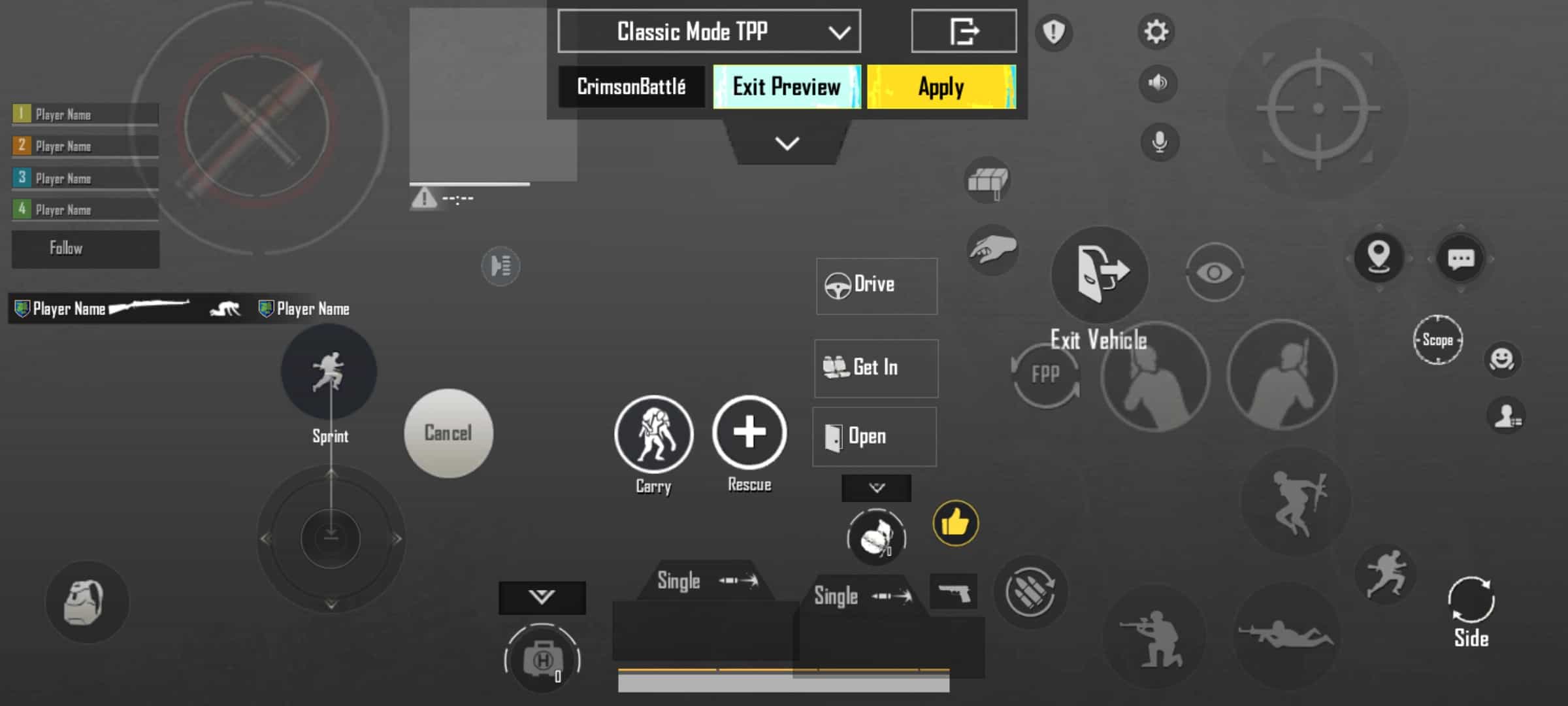
Here is my PUBG Mobile Global 4-Finger Claw Layout Code: 7275-1794-4178-8556-303
Sensitivity code for 4 finger claw
Sensitivity settings also play an important role in gameplay like your character’s movement, Aiming, firing, etc. So you should try changing your sensitivity settings. Also, learn to play with full Gyro settings.
Sensitivity Code: 7275-1794-4178-8556-305
Screenshot of my sensitivity settings:

If my sensitivity settings are not working for you. Try increasing and decreasing them.
Basic Controls for Claw Settings
You also need to make sure your basic controls are set to satisfy the 4 finger claw settings.
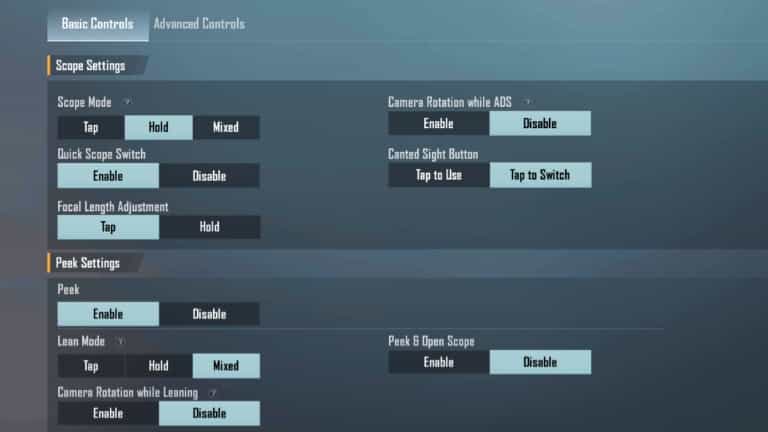
- Leave the Fire Settings to default.
- Use Scope Mode in Hold or Mixed
- Disable Camera Rotation while ADS
- Use Lean Mode on Hold or Mixed. (Mixed is preferable)
- Disable Peek & Open Scope
- Disable Camera Rotation while Leaning
Conclusion: Your 4-finger claw layout is ready. Go and start playing today. Share it with your friends:-)